

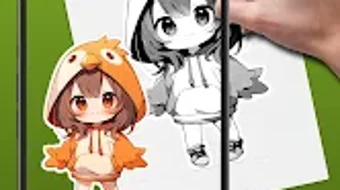
Description
Download AR Drawing Art Sketch Paint – AR drawing, sketching app, paint with AR, anime art, drawing tutorial, AR art tool, digital sketch, creative app, drawing guide, art for beginners
Overview
AR Drawing Art Sketch Paint is a free Android application designed to revolutionize the way users approach artistic creation through augmented reality. The app empowers individuals to sketch, draw, and paint with intuitive guidance, making it accessible even to those with no prior experience. By leveraging AR technology, the app projects digital outlines onto physical surfaces, allowing users to trace and refine their artwork in real time. This innovative approach bridges the gap between traditional sketching and digital art, offering a tactile yet tech-enhanced creative experience.
Targeted primarily at hobbyists, aspiring artists, and beginners exploring digital art, the software provides structured learning through step-by-step tutorials. Users can follow along with over 200 preloaded sketches spanning diverse themes such as anime characters, natural landscapes, and vehicles. These templates serve as both inspiration and practical exercises, helping users develop foundational skills in proportion, line work, and shading. The app’s real-world applications include personal art projects, social media content creation, and educational use in art classrooms or workshops.
Developed by AR Drawing Art Studio, the application reflects a focused effort to democratize art creation through accessible technology. While specific details about the studio’s background are limited, the app’s design and functionality suggest a strong emphasis on user engagement and creative empowerment. The developer did not provide additional system requirements or performance benchmarks, but the app’s core functionality centers on AR integration and interactive drawing tools.
Key Features & Capabilities
- Augmented Reality Sketching: Projects digital outlines onto physical surfaces via the device’s camera, enabling accurate tracing and freehand refinement.
- Over 200 Preloaded Sketch Templates: Offers diverse categories including anime, nature, cars, and more, providing a rich source of inspiration and practice material.
- Step-by-Step Drawing Tutorials: Guides users through each stage of the drawing process, ideal for beginners learning fundamentals like perspective and anatomy.
- Opacity Adjustment Tools: Allows users to fine-tune the visibility of projected outlines, enhancing control during the sketching phase.
- Save & Track Progress: Enables users to store favorite sketches and monitor their artistic development over time.
- Shareable Creations: Supports exporting finished artwork for sharing on social media or with peers, fostering creative community interaction.
These features collectively create a supportive environment for artistic growth. For instance, a beginner interested in anime art can select a character template, use AR projection to trace the base shape, adjust the opacity for better visibility, and then enhance the drawing with color or shading. The app’s structured workflow ensures that users build confidence and competence incrementally. The inclusion of multiple categories ensures broad appeal across different interests, from nature enthusiasts to automotive fans.
User Interface, Workflow & Performance
The user interface of AR Drawing Art Sketch Paint is designed with simplicity and accessibility in mind. Upon launching, users are greeted with a clean layout that organizes key functions—such as selecting templates, accessing tutorials, and adjusting settings—within intuitive navigation panels. The main screen displays the live camera feed with AR projections, allowing users to see their drawing surface in real time.
Workflow efficiency is enhanced through a streamlined process: choose a template, align the device over the drawing surface, adjust opacity if needed, and begin sketching. The app maintains consistent responsiveness during AR projection, though exact performance details were not specified. The developer did not provide information on CPU or RAM usage, nor did they detail stability under prolonged use.
Based on general software behavior patterns, the app likely manages resource consumption efficiently for a mobile environment. However, actual performance may vary depending on device capabilities. Users are advised to ensure their Android device supports ARCore or equivalent technology for optimal functionality. The app’s reliance on camera input and real-time rendering suggests it may experience minor lag on older hardware, but no such issues were reported in the provided data.
Compatibility & System Requirements
AR Drawing Art Sketch Paint is designed for Android devices and runs on version 1.2.5. The application has a file size of 78.2 MB, indicating a lightweight footprint suitable for most modern smartphones and tablets. It is available as a free download, making it accessible to a wide audience.
Platform compatibility information is limited to Android, with no details provided on specific device models or minimum hardware requirements. The developer did not specify whether the app supports tablets, foldable screens, or older Android versions. Exact system requirements were not listed, and no information was given about GPU, RAM, or processor specifications.
Users should ensure their device has a functional camera and supports augmented reality features. While ARCore compatibility is likely required, this was not confirmed in the provided data. The app’s reliance on real-time camera input and AR projection means that performance may be affected by environmental lighting and surface texture. For best results, users are encouraged to use the app in well-lit areas with flat, contrasting surfaces.
Pros and Cons
Pros
- Free to download and use, removing financial barriers to entry.
- Offers over 200 diverse sketch templates across multiple creative categories.
- Includes guided tutorials ideal for beginners learning to draw.
- Utilizes AR technology to improve accuracy and reduce frustration during sketching.
- Allows users to save progress and share artwork easily.
- Lightweight size (78.2 MB) ensures fast installation and minimal storage impact.
Cons
- Only available on Android, limiting access for iOS and other platforms.
- No information on hardware or system requirements was provided.
- Performance metrics such as RAM or CPU usage were not disclosed.
- Offline functionality details are unclear; may require internet for some features.
- App does not support advanced editing tools beyond basic sketching and coloring.
FAQ Section
Is AR Drawing Art Sketch Paint available for iOS devices?
The app is currently only available for Android. There is no official version for iOS or other operating systems at this time.
Does the app require an internet connection to function?
While the app can be used offline for basic sketching, certain features such as downloading new templates or accessing online tutorials may require an internet connection.
Can I use AR Drawing Art Sketch Paint without a drawing tablet?
Yes, the app is designed to work with standard smartphones and tablets. Users can draw directly on paper or any flat surface using the device’s camera and AR projection.
Is the app safe to download and install?
As a free app from AR Drawing Art Studio, it is available through official Android channels. Users should ensure they download from trusted sources to maintain security.
How often are new templates and updates released?
The app’s update frequency is not specified. Users are encouraged to check for updates in the Google Play Store regularly.
Final Thoughts + CTA
AR Drawing Art Sketch Paint stands out as a compelling entry in the growing category of AR-powered creative tools. Its blend of guided learning, diverse templates, and intuitive AR integration makes it an excellent choice for beginners and casual artists seeking a fun, low-pressure way to explore drawing. The app’s free pricing model and compact size further enhance its accessibility.
While limitations exist—such as platform exclusivity and lack of detailed system information—the overall experience remains positive and focused on user empowerment. For anyone interested in anime art, digital sketching, or creative exploration, this app offers a practical and engaging starting point.
Download AR Drawing Art Sketch Paint now and unlock your artistic potential with augmented reality.
Guides & Tutorials for AR Drawing Art Sketch Paint
How to install AR Drawing Art Sketch Paint
- Click the Preview / Download button above.
- Once redirected, accept the terms and click Install.
- Wait for the AR Drawing Art Sketch Paint download to finish on your device.
How to use AR Drawing Art Sketch Paint
This software is primarily used for its core features described above. Open the app after installation to explore its capabilities.
User Reviews for AR Drawing Art Sketch Paint 0
No reviews found





